The short version
Cloudflare sits in front of your website. Every visitor lands on Cloudflare's network first, one of 300+ locations worldwide, before reaching your actual site. That layer does five jobs:
- Speed: caches your site so visitors get a fast copy from a nearby data centre, not from across the country
- Security: Web Application Firewall (WAF) blocks malicious traffic before it reaches your site
- DDoS protection: automatically absorbs distributed-denial-of-service attacks
- SSL/HTTPS: the green padlock and encrypted connection are managed by Cloudflare
- Bot management: blocks crawlers, scrapers and bad-actor bots while letting legitimate ones through
What the Cloudflare dashboard shows
If you have access to your site's Cloudflare dashboard, the Overview page gives a quick snapshot of activity:
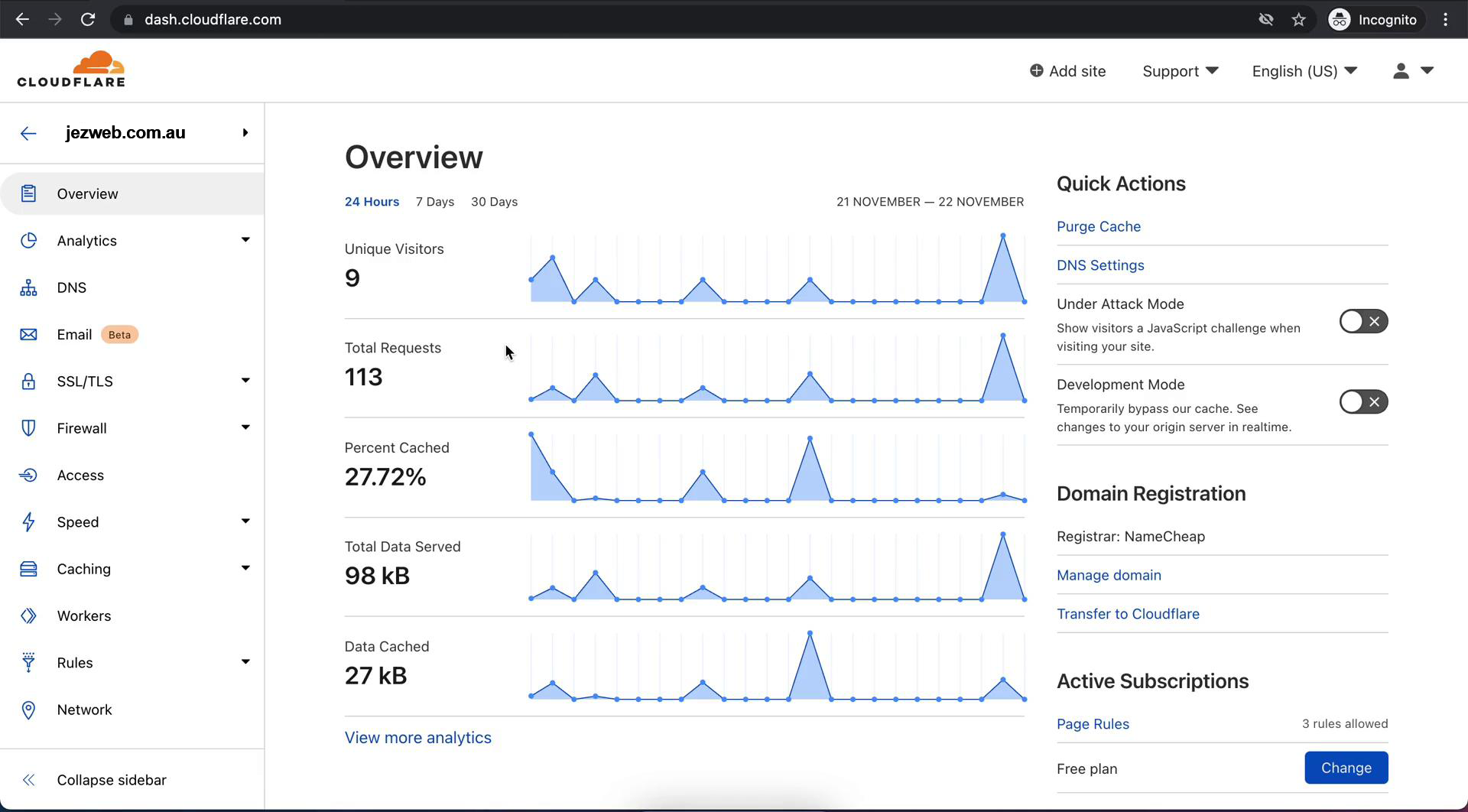
- Unique visitors, how many distinct people came to your site in the time window
- Total requests, every page, image, and resource loaded
- Percent cached, how much was served from Cloudflare's edge (good) vs from your actual server (slower). Higher % cached = faster site.
- Data served, total bandwidth used
- Data cached, bandwidth that came from Cloudflare cache instead of your server
What you typically need to do
Very little, day-to-day. Cloudflare runs in the background. You only need to engage when:
- You've just made changes to the site and they aren't showing up, you might need to Purge Cache from Quick Actions
- You suspect an attack, turn on Under Attack Mode to require a browser challenge for every visitor
- You're doing maintenance, Development Mode bypasses cache for 3 hours so you can see real-time changes
Do I get a Cloudflare login?
Not by default. We manage Cloudflare for you on most plans. If you want access (to purge cache yourself, or look at analytics), ask us and we'll add your email as a user on the account.